
Final Paper Submission
- Prepare Your Camera-Ready Paper
- Use the official IEEE conference templates:
https://www.ieee.org/conferences/publishing/templates.html
- Length requirements:
Paper: up to 6 pages
(including all text, figures, and references)
- Ensure that fonts, margins, and references strictly comply with IEEE guidelines.
- Verify Your PDF Using IEEE PDF eXpress
- Before submitting your camera-ready paper, you must verify that the PDF file of your camera-ready paper is compatible with the IEEE Xplore® digital library. To do this, please use the IEEE PDF eXpress tool.
Step-by-Step Instructions
- Visit the IEEE PDF eXpress website:
https://ieee-pdf-express.org/account/login - Create a new account (first-time users)
- Visit the IEEE PDF eXpress website:
- Click “Create account”.
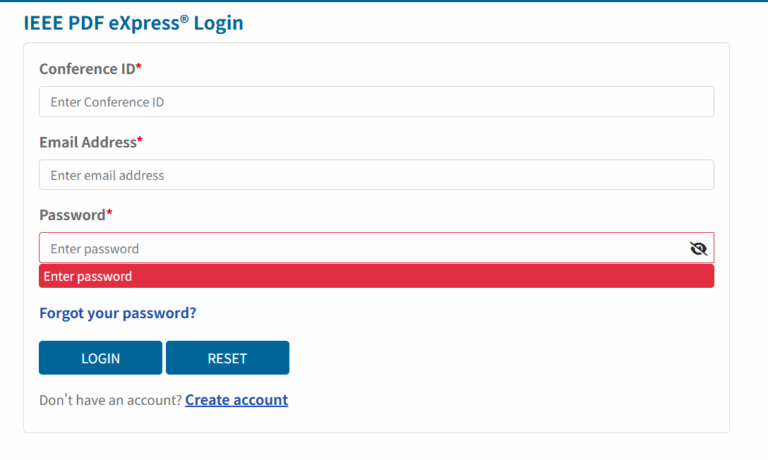
- Enter the Conference ID: 69366X and fill in your email address and password.
- Click “Submit”.
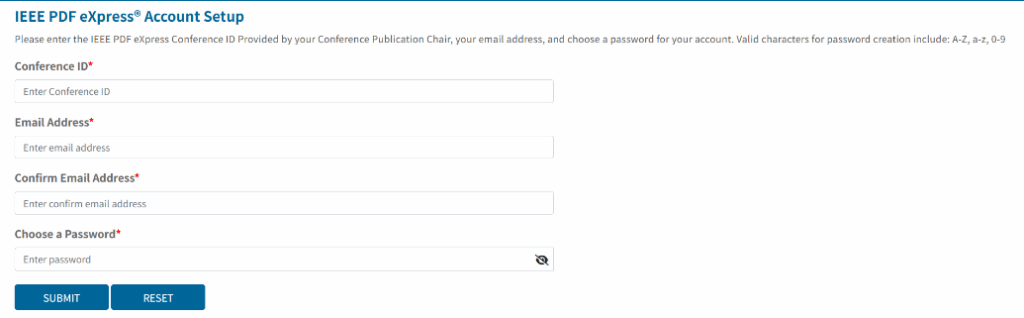
Check your email inbox to activate your account.

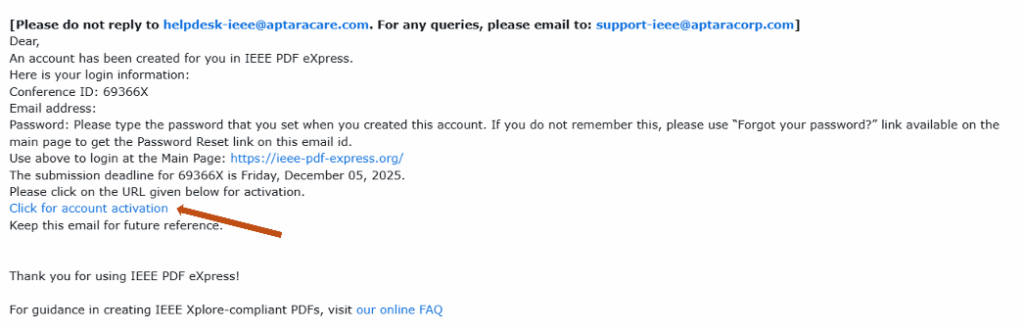
Follow the on-screen instructions to complete your personal information.

(If you already have an account, simply log in using your email, password, and the same Conference ID: 69366X.)
- Upload your paper for verification or conversion
- After logging in, click “Dashboard” on the left panel.
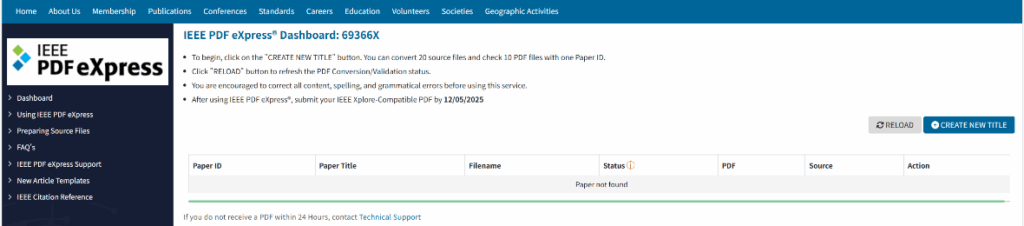
- Click “CREATE NEW TITLE”, enter your paper title, and upload your file.
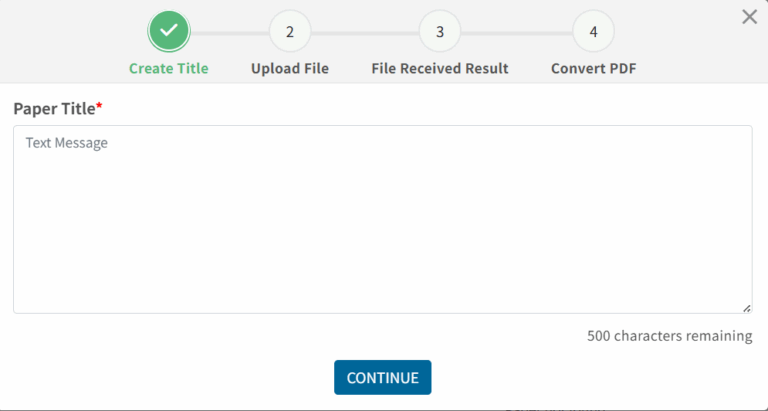
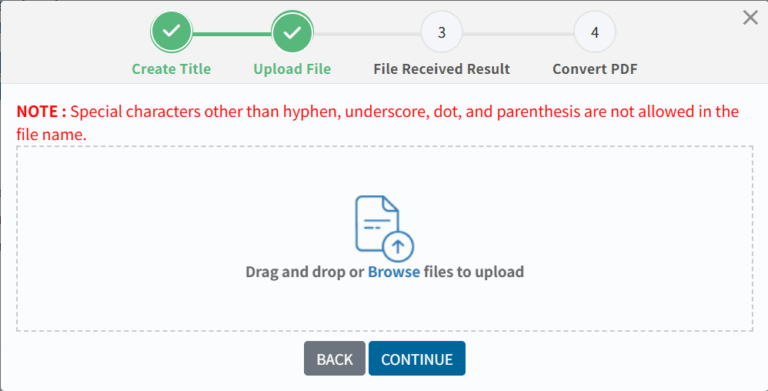
- Now you have two options:
- Convert to PDF – Upload your source file (Word, LaTeX, etc.), and the system will generate an IEEE-compliant PDF. The verified PDF will also be sent to your email as an attachment.
- Verify PDF – Upload your existing PDF, and the system will check whether it meets IEEE Xplore® requirements.
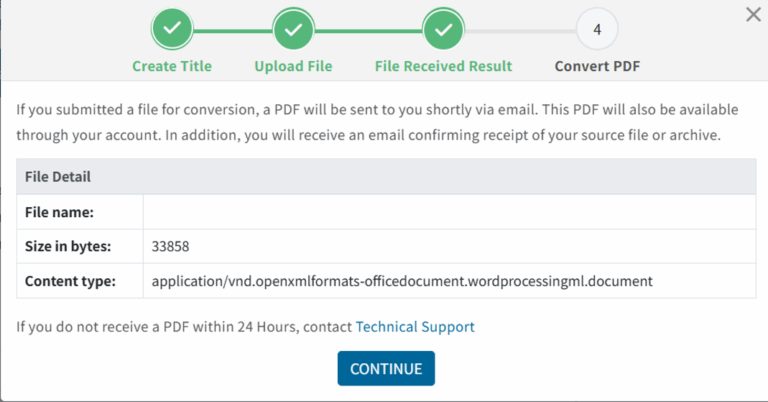
- Wait for the system to complete the check or conversion.
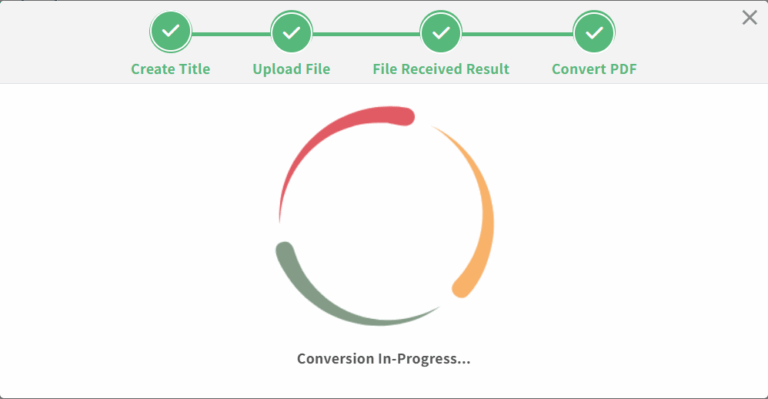
- Download the verified PDF
- Once completed, you will receive an email containing your IEEE Xplore-compatible PDF file. Download it and use this version for final submission.
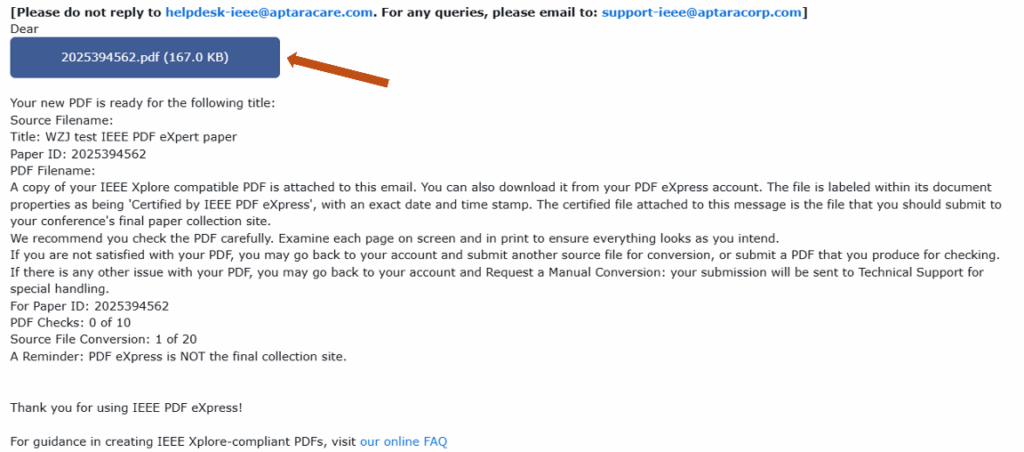
- Submit Your Camera-Ready Paper and IEEE Electronic Copyright Form in CMT
- If your paper has been accepted and is ready for the camera-ready stage, you will see the corresponding option in your CMT Author Console.
You must complete both of the following steps:
1) Submit the IEEE Electronic Copyright Form (eCF)
2) Upload your Camera-Ready Paper (verified PDF)

Step-by-Step Instructions
1) Open the eCF submission page
- Click “Submit IEEE Copyright Form” and click the link in the system to Open the eCF submission page.
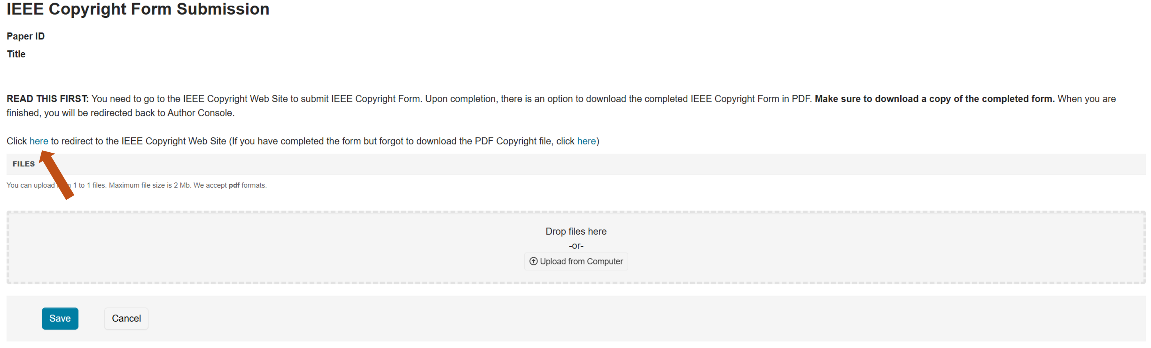
2) Confirm your paper information
- Check whether the title, authors, and paper ID are correct.
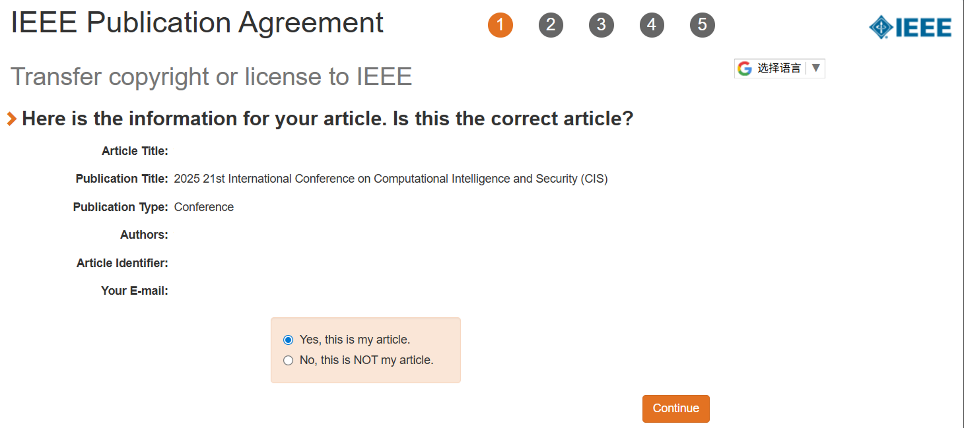
3) Review and confirm author details
- Make corrections if necessary.
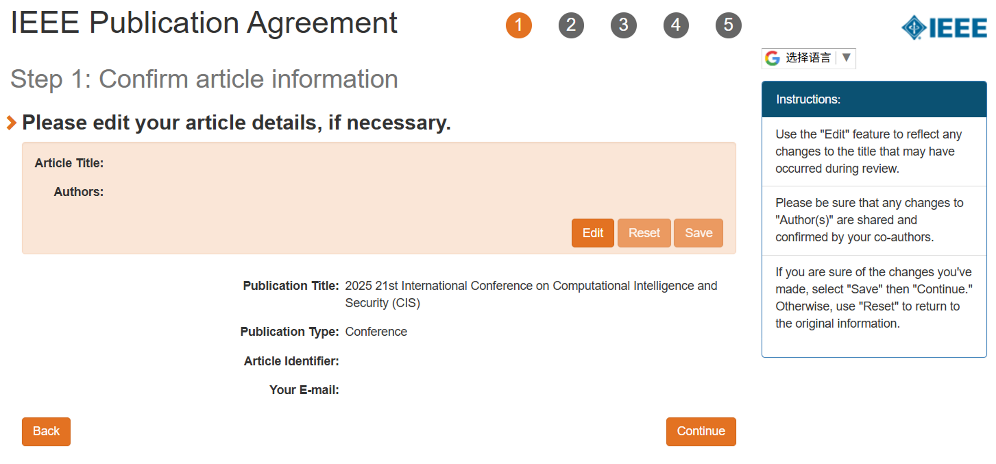
4) Acknowledge IEEE Policies on Publication Ethics
- Read and confirm that your paper complies with IEEE policies regarding originality, authorship, and plagiarism, as stated in Section 8.2.1 of the IEEE PSPB Operations Manual.
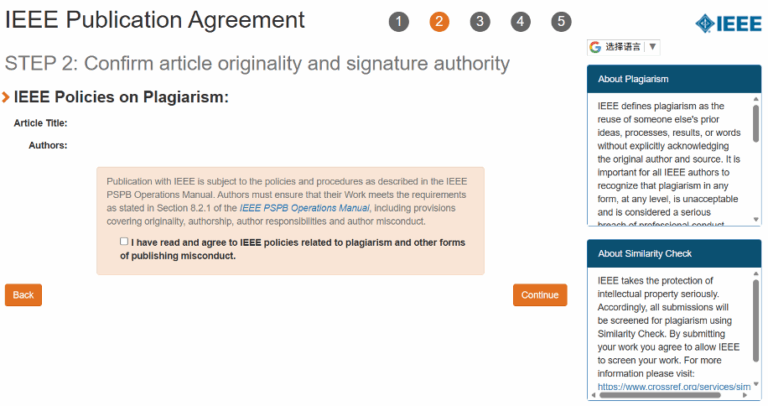
5) Verify author information
- Ensure that your name and affiliation are entered correctly.
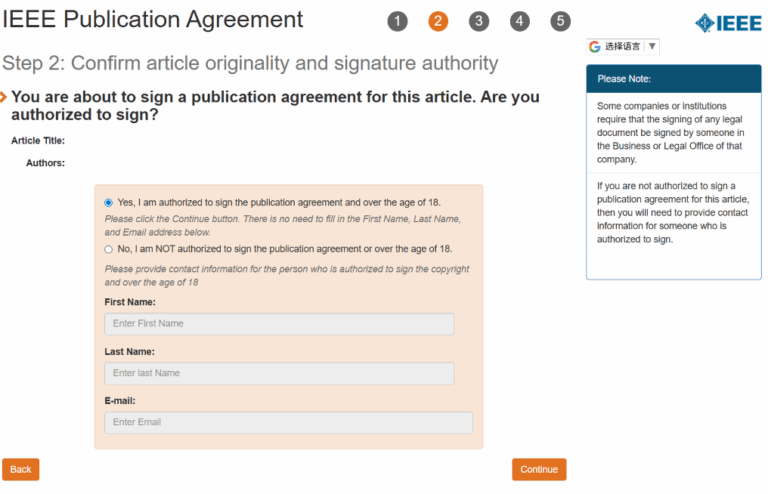
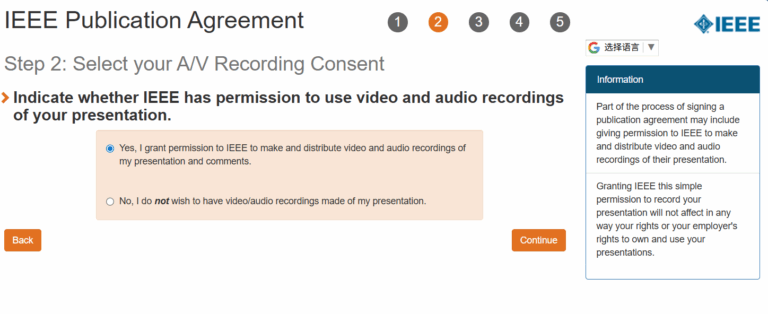
6) Media Release and Recording Permissions
- Confirm whether you grant IEEE permission to use video and audio recordings of your presentation.
7) Funding and Repository Compliance Declaration
- Specify whether your paper is funded by an organization that requires repository deposit (e.g., UKRI, NIHR, etc.). If not, choose “Not affiliated with any group on this list.”

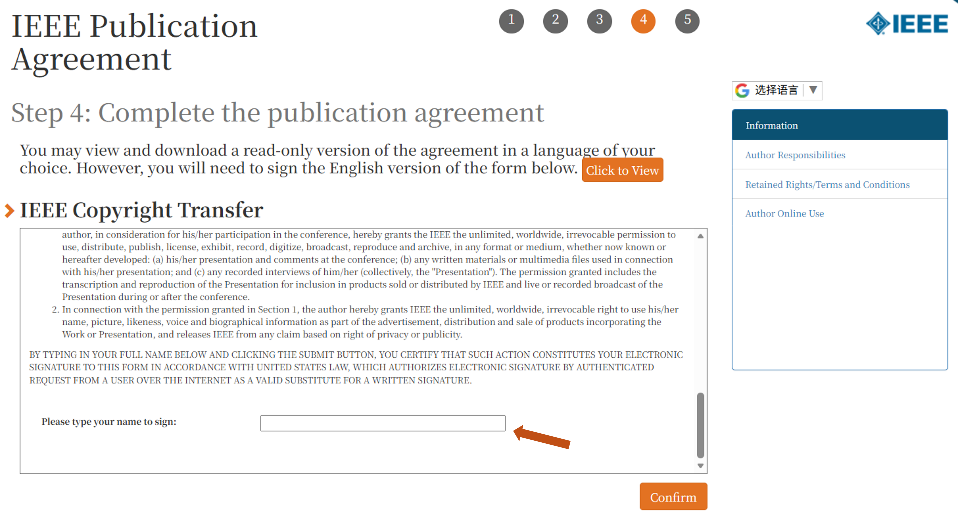
8) Review and confirm employment status
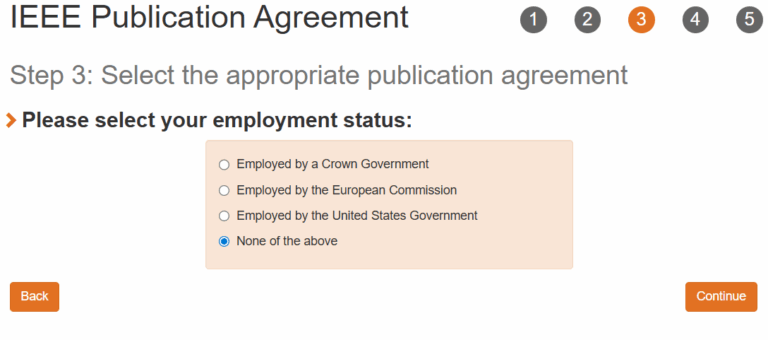
9) Sign the publication agreement
- Sign your name in the designated field to complete the IEEE Publication Agreement.
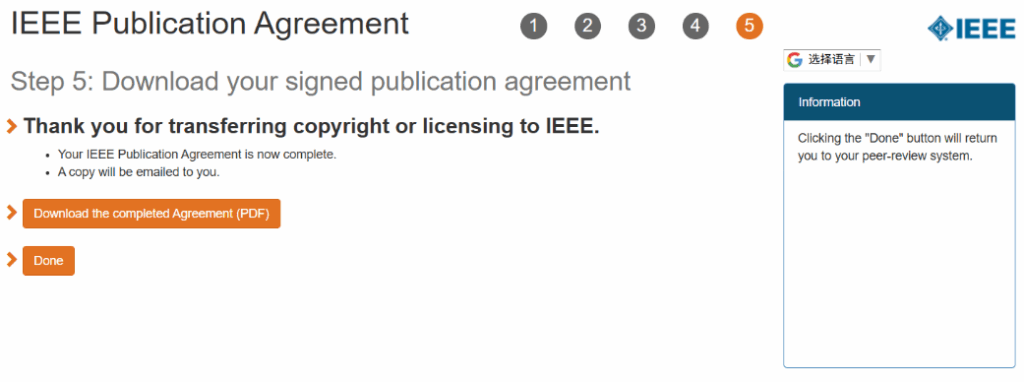
10) Download the signed copyright form
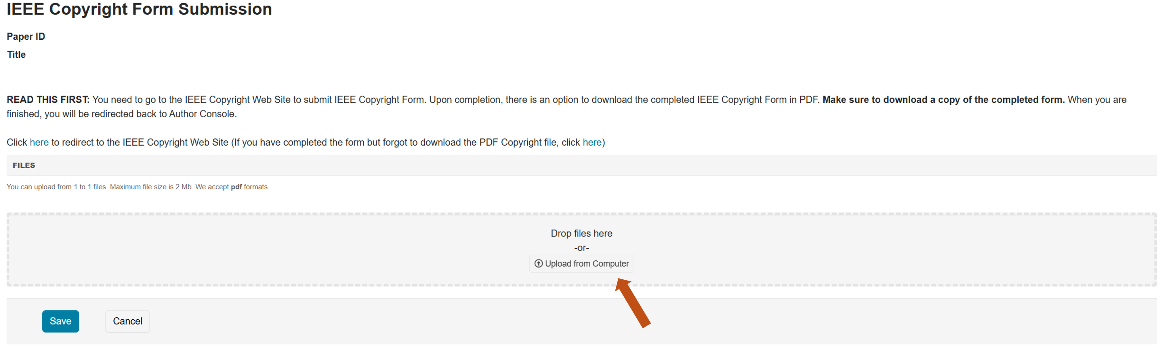
- After signing, download the PDF version of your completed copyright form.
Then, return to CMT and upload this signed PDF file at the location indicated by the arrow.
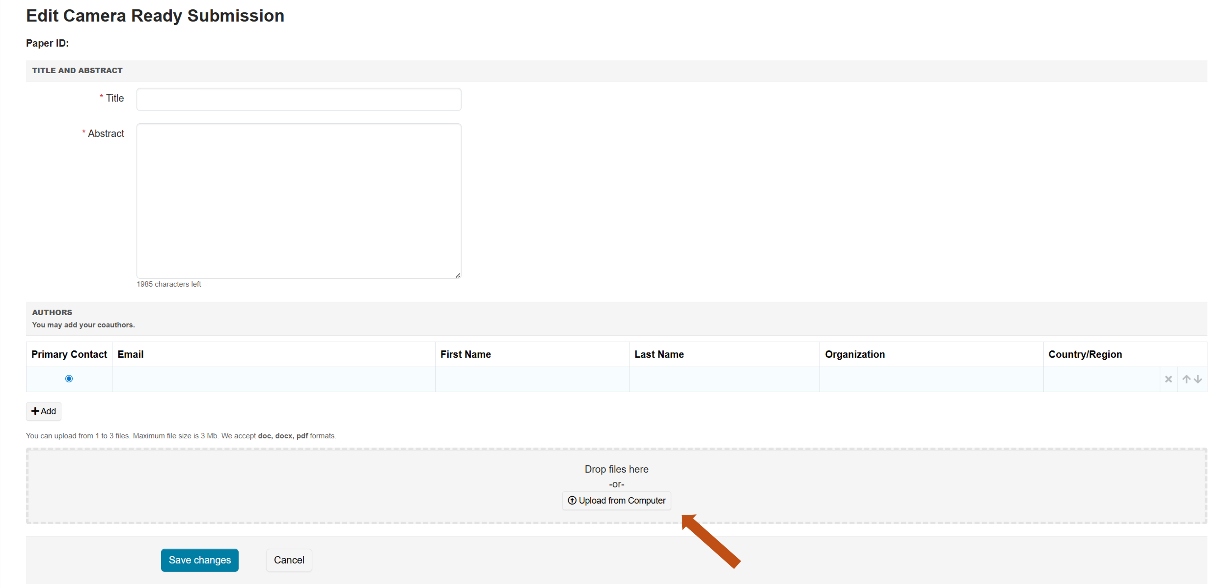
11) Upload your camera-ready paper
- Finally, in CMT, click “Create Camera Ready Submission”, and upload the IEEE Xplore-verified PDF generated by PDF eXpress. Ensure that this is the final version of your paper.

| Conference Organizer and Sponsor: | Technical Sponsors: | |||||
|---|---|---|---|---|---|---|
 | | |  |  |  |  |  |
| CIS'2025 Tel: (+86)18821665112 (+86)17690731312 (+86)15853559288 (+86)15929550615 | ||||||